Edit hundreds of preference cards in one click.
Stop touching every card individually when a supplier changes, a price jumps, or an item goes on backorder. Apply one change across every affected preference card at once — and verify it landed everywhere it should.
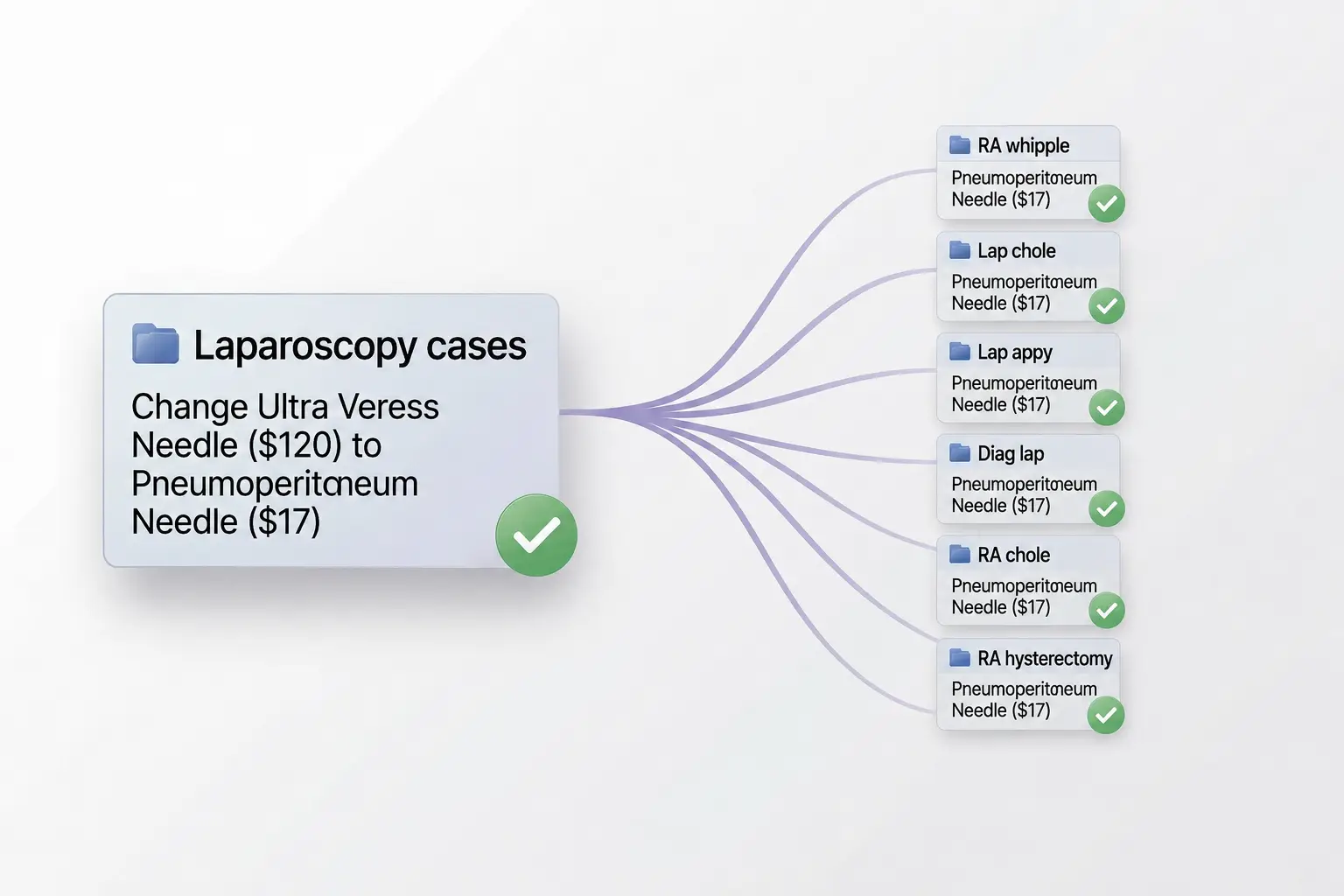
One change. Every card. Every time.
The most common reason a surgical program's preference cards drift out of date isn't because no one cares — it's because making changes is tedious. When a supplier discontinues a product, a tariff hits an imported item, or your purchasing team renegotiates a contract, the work of updating every affected preference card individually can take hours or days. Most teams put it off. The cards get worse. The compounding cost of outdated cards is a real, measurable line item in your supply budget.
Bulk editing turns that hours-long process into seconds. Identify the change. Select the cards (or groups of cards) it applies to. Push the update. Every preference card reflects reality immediately.
Three steps. No spreadsheets.
- 1
Pick the change.
Find the item you want to swap, retire, or update. Specify what should replace it — or just remove it entirely.
- 2
Select the scope.
Apply it to a specific procedure group (like all laparoscopy cases), all cards for a specific surgeon, or every card in the facility. You decide where the change lands.
- 3
Confirm and push.
Review the affected cards in a preview, confirm the change, and watch it propagate. Every card updates simultaneously — and PREFcards logs the change for audit traceability.
Real situations bulk editing solves.
Supplier changes
When you switch from one vendor to another for a high-volume supply, update every card referencing the old SKU in one operation.
Cost-driven swaps
When a tariff hits or a vendor raises prices, find a substitute and propagate it across every affected card immediately.
Stockouts and backorders
When something becomes unavailable, mark it everywhere it appears so OR staff aren't surprised mid-case.
Standardization initiatives
When you decide to standardize a suture pack or instrument set across all surgeons performing a procedure, push the new standard with one update.
Item naming consistency
Clean up inconsistent item names across decades of accumulated card drift in one operation, not card-by-card.
Compliance and recall responses
When a recall lands, immediately identify every affected card and remove or replace the recalled item facility-wide.
Stop touching every card individually.
See bulk editing — and the rest of PREFcards — in a 30-minute walkthrough tailored to your facility.
Book a demo